
Download Cryptocurrency Ticker – Free Desktop Crypto Price Tracker
Overview
Cryptocurrency Ticker is a lightweight, free desktop tool designed for crypto‑enthusiasts who want instant access to the latest market values without opening a browser or navigating to an exchange. Once installed, the app lives on your desktop and displays the current price of the cryptocurrencies you select. You can add up to five coins for a permanent on‑screen view; adding more than five moves the ticker into a compact icon that expands on click. The interface is minimalist, focusing on clarity rather than flashy graphics, which makes it an ideal companion for traders, investors, or anyone who simply wants to stay informed while working, gaming, or watching videos.
Compatibility
The application is built with cross‑platform compatibility in mind. It runs natively on Windows 10/11 (64‑bit), macOS 10.14 or later, and offers limited support for Linux distributions via an Electron wrapper. While there is no mobile version, the desktop presence ensures you can keep an eye on your portfolio without switching devices. The app respects the operating system’s window management rules, meaning it will not sit on top of other windows—this can be a downside for users who want constant visibility while watching movies or browsing the internet.
Security is a priority; the app does not store private keys or require any login. It pulls price data from reputable public APIs (CoinGecko, CoinMarketCap) over HTTPS, guaranteeing encrypted transmission. Updates are delivered automatically, ensuring you always have the latest features and bug fixes without manual intervention.
Key Features
- Real‑time price updates for any cryptocurrency supported by major APIs.
- Customizable watchlist: add, remove, and reorder coins at will.
- Desktop widget that can be pinned to the taskbar or set as a floating window.
- Support for up to five coins displayed permanently; additional coins accessible via a click‑to‑expand panel.
- Lightweight footprint (under 30 MB) with minimal CPU usage.
- Automatic secure updates via HTTPS.
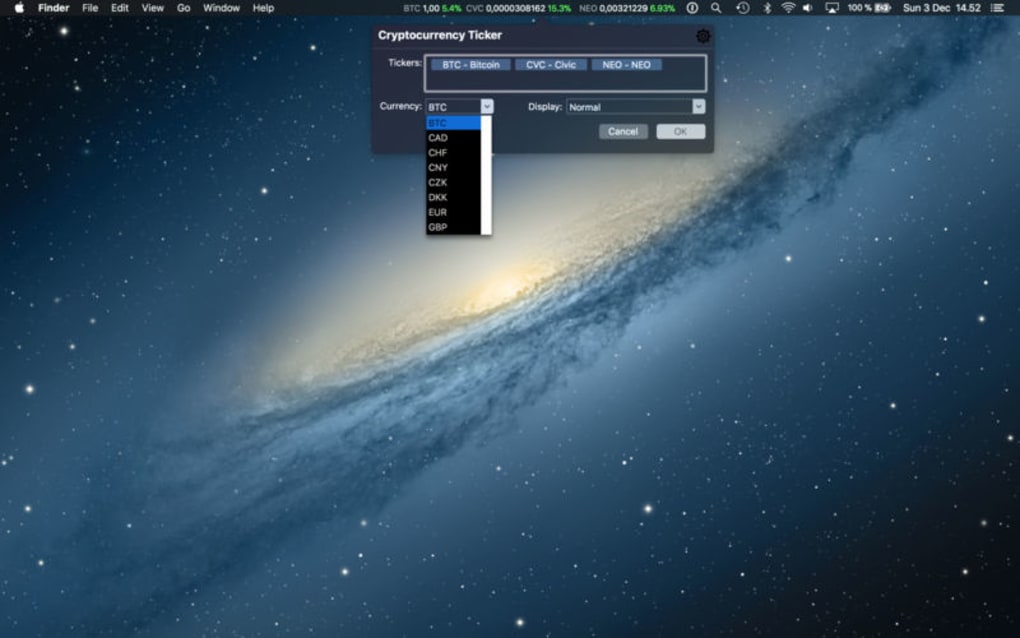
- Multi‑currency conversion (e.g., USD, EUR, GBP) with selectable display format.
- Dark and light themes to match your OS preferences.
- Offline caching of the last known prices when internet connectivity drops.
- Open‑source core libraries for transparency and community contributions.
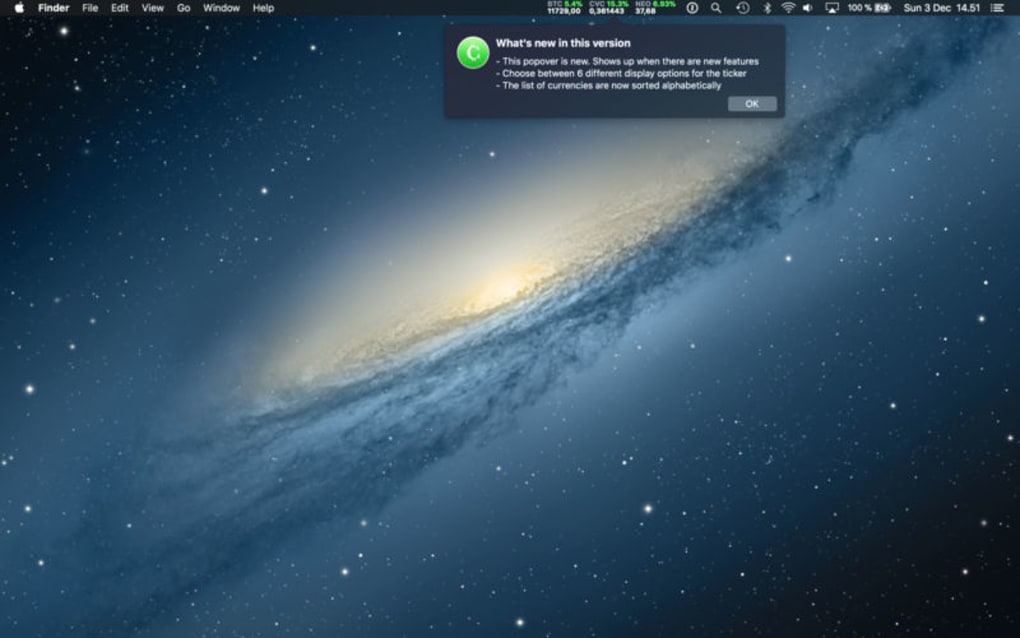
Beyond the basic price display, Cryptocurrency Ticker offers a handful of quality‑of‑life enhancements. Users can set price alerts that trigger a subtle desktop notification when a coin crosses a predefined threshold. The widget’s font size and decimal precision are adjustable, catering to both casual observers and professional traders who need granular data. Although the app does not overlay on top of other windows—a design choice to prevent interference with full‑screen media—it does provide a quick‑access tray icon that opens the full watchlist with a single click.
Developers have integrated a simple API within the app, allowing power users to pull the displayed values into scripts or third‑party dashboards. This extensibility makes Cryptocurrency Ticker a useful building block for more sophisticated trading setups, even though the core product remains free and ad‑free.
Installation & Usage Guide
Getting Cryptocurrency Ticker up and running is straightforward. Follow these steps to ensure a smooth installation on Windows, macOS, or Linux:
Step‑by‑Step Installation
- Download the installer: Visit the official website and click the “Download for Windows” (or macOS/Linux) button. The file is signed and scanned for malware.
- Run the installer: On Windows, double‑click the .exe file; macOS users open the .dmg and drag the app to the Applications folder; Linux users extract the .tar.gz and run the provided script.
- Grant permissions: The installer may request permission to create a shortcut on your desktop and to access the internet for price data. Approve these prompts.
- Launch the app: After installation, the ticker appears as a small window on your desktop. On first launch, you’ll be greeted with a welcome wizard.
Configuring Your Watchlist
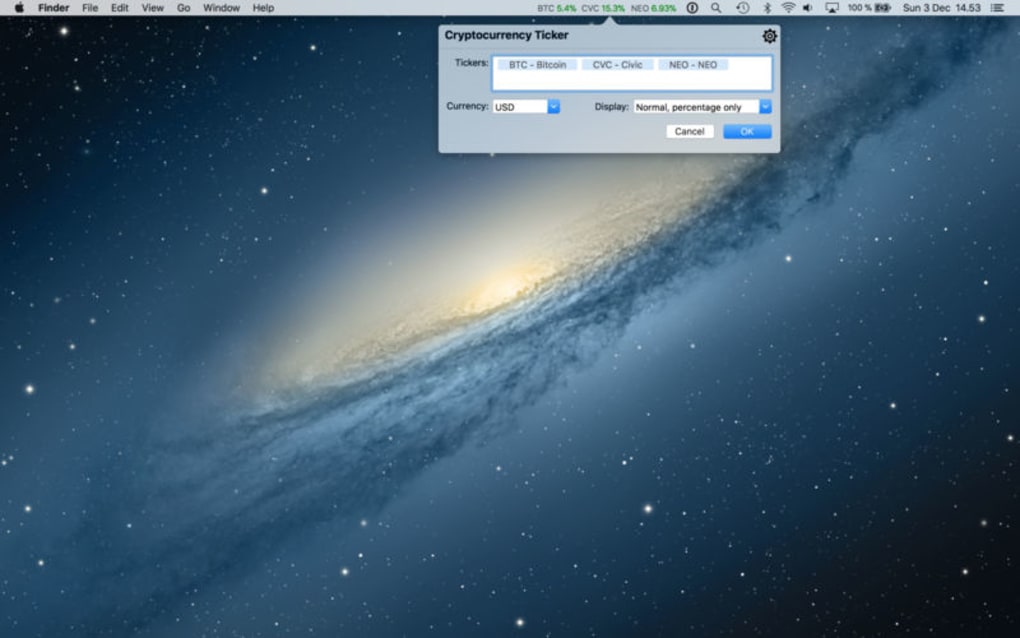
The wizard guides you through adding your first cryptocurrencies. You can search by name or ticker symbol (e.g., BTC, ETH, DOGE). Select up to five favorites to keep permanently visible. If you add more, they will be stored in the hidden panel, which you can open by clicking the tray icon or the “+” button on the widget.
Within the settings menu (accessed via the gear icon), you can:
- Choose your preferred fiat currency for conversion.
- Switch between dark and light themes.
- Adjust the refresh interval (default is 60 seconds).
- Set price alerts with custom thresholds.
Daily Usage Tips
For optimal workflow, pin the widget to a corner of your screen where it doesn’t obstruct active windows. Use the “Always on Top” toggle—if you need the ticker over other apps, enable it temporarily; remember to disable it when you start full‑screen media to avoid interference. The app remembers your layout between sessions, so you won’t need to re‑configure after a reboot.
Should you encounter connectivity issues, the ticker will display the last cached prices and show a small red indicator. Once the internet connection restores, the data syncs automatically. For troubleshooting, the Help menu provides a diagnostics log that can be emailed to support.
Pros & Cons
Pros
- Completely free with no hidden ads or subscription fees.
- Real‑time updates from reliable APIs ensure accurate pricing.
- Lightweight and low‑resource consumption, suitable for older hardware.
- Customizable watchlist and display options (themes, fonts, precision).
- Secure HTTPS data transfer and no storage of private keys.
- Automatic updates keep the app current without manual effort.
- Open‑source components foster transparency and community trust.
Cons
- The widget does not stay on top of full‑screen applications, limiting visibility during movies or games.
- Limited to desktop environments; no dedicated mobile app.
- Only five coins can be displayed permanently; additional coins require extra clicks.
- Linux support is functional but not as polished as Windows/macOS versions.
- Price alerts are basic and lack advanced conditional logic.
Overall, Cryptocurrency Ticker delivers a solid, no‑cost solution for users who need a quick glance at crypto prices. While the lack of always‑on‑top behavior may be a drawback for some, the app’s simplicity, security, and customizability make it a valuable addition to any trader’s toolkit.
FAQ
Is Cryptocurrency Ticker really free?
Yes, the application is completely free to download and use. There are no hidden fees, ads, or premium tiers. All core features—including real‑time price updates and basic alerts—are available at no cost.
Which cryptocurrency exchanges does the ticker pull data from?
Price data is sourced from reputable public APIs such as CoinGecko and CoinMarketCap. These services aggregate data from multiple exchanges, ensuring the displayed prices are accurate and up‑to‑date.
Can I use the ticker on a Mac with Apple Silicon?
Absolutely. The macOS version is built as a universal binary and runs natively on both Intel and Apple Silicon (M1/M2) machines.
How secure is the data transmission?
All communications with the price APIs are encrypted via HTTPS. The app does not store private keys, wallet addresses, or any personal data, minimizing security risks.
What should I do if the ticker stops updating?
First, check your internet connection. If it’s stable, open the Help menu and view the diagnostics log. You can also manually refresh the data by clicking the refresh icon. If the issue persists, reinstall the latest version from the official website.
Conclusion & Call to Action
Cryptocurrency Ticker fills a niche that many crypto‑tracking tools overlook: a simple, free, and secure desktop widget that keeps your most important coin prices in plain sight. While it lacks an always‑on‑top mode, its lightweight design, automatic updates, and customizable watchlist make it an excellent choice for traders who value clarity over clutter. Download the app today and enjoy instant access to market data without leaving your workspace.
Click here to download Cryptocurrency Ticker now and start monitoring your portfolio with a single glance.







